Signing in with Patreon
Hi! If you support us on Patreon, this guide will help you sign in to Kurotica Team and play Hermione's Shop. Good news: Patreon sign-in is one click — no separate password needed. You just allow the site to check your subscription.
Signing in with Patreon
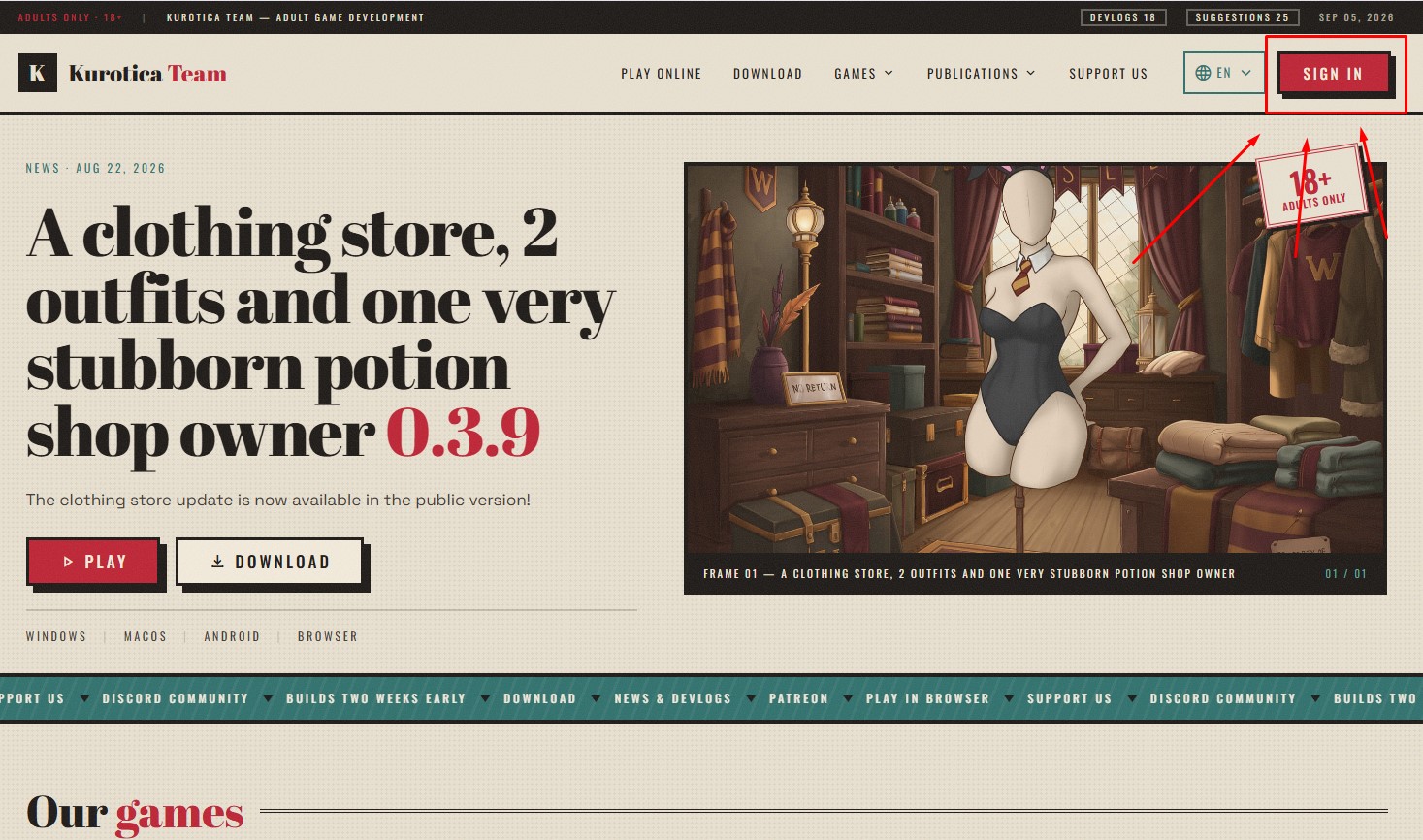
Click “Sign in”
Top right of the site, click “Sign in”.
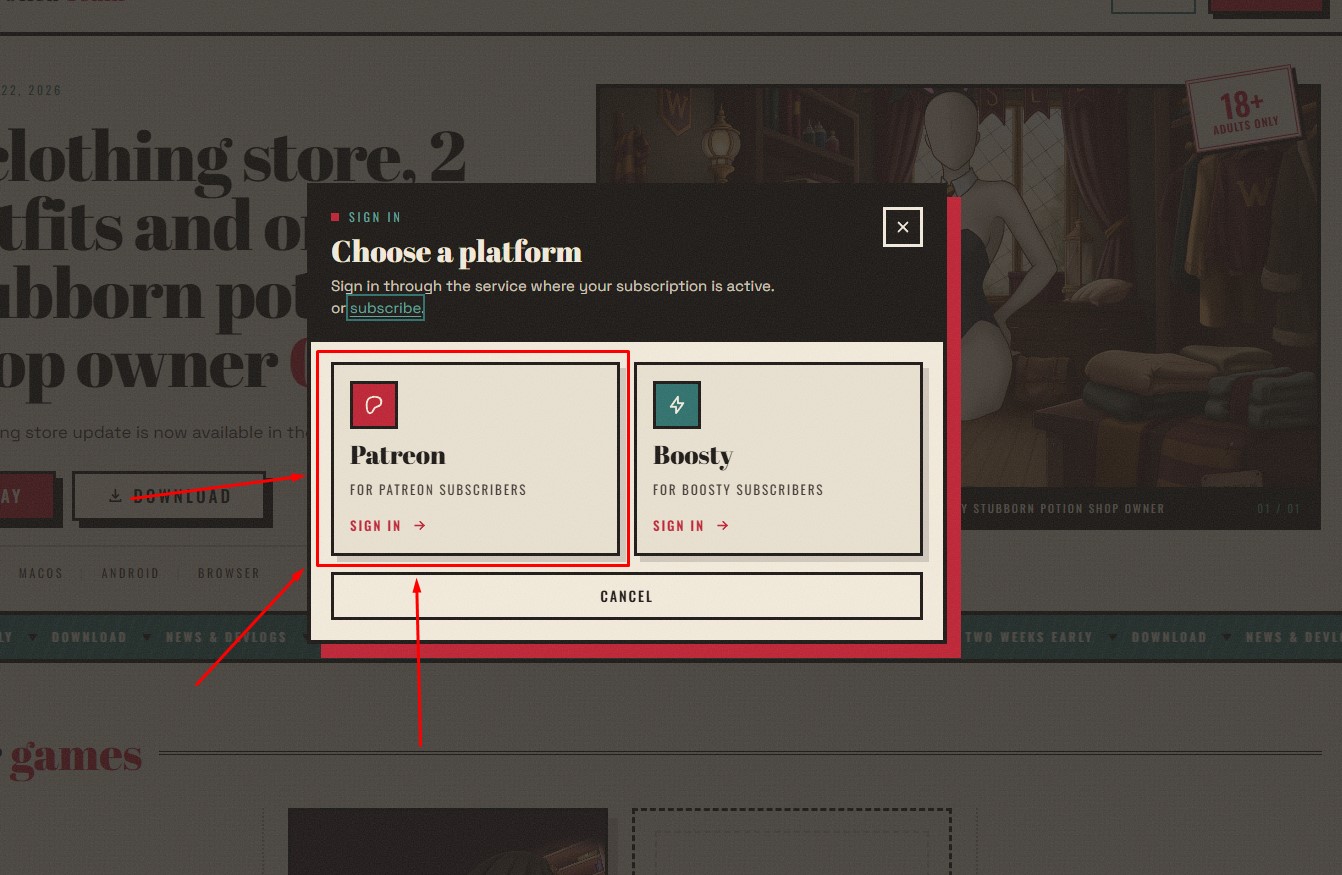
Choose the platform — Patreon
In “Choose a platform” pick the left tile — Patreon (“For Patreon subscribers”).
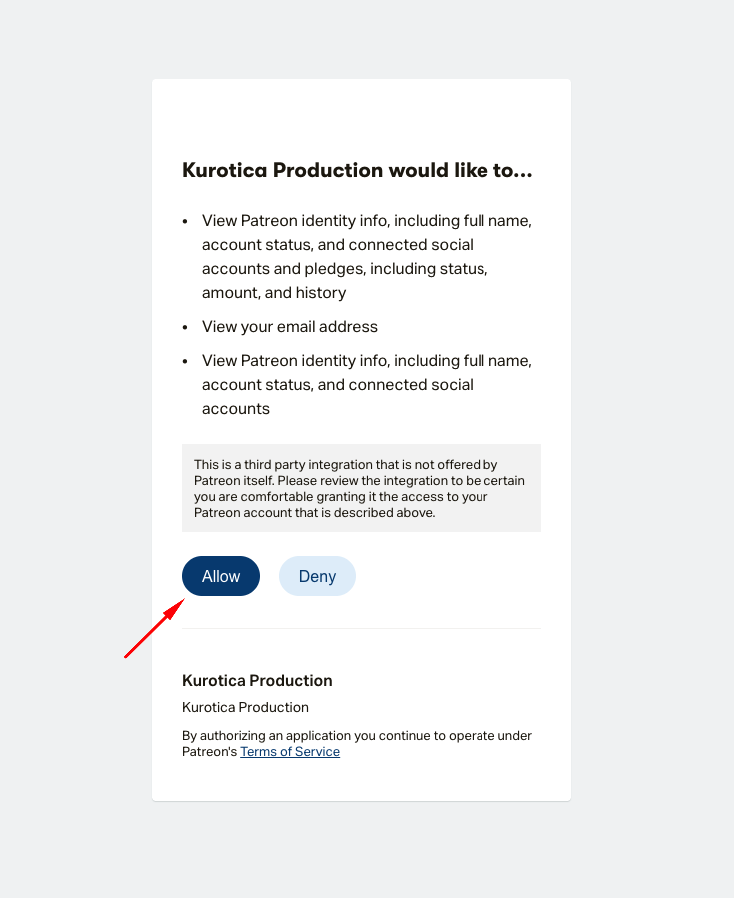
Grant access
Patreon opens a confirmation page (“Kurotica Production would like to…”) showing what data we request (name, status, email, subscription info, to verify your tier). Click “Allow”.
Patreon then returns you to our site — done!
💡 If you weren't logged in to Patreon
The site will redirect you to Patreon's login page (“Log in or sign up”).
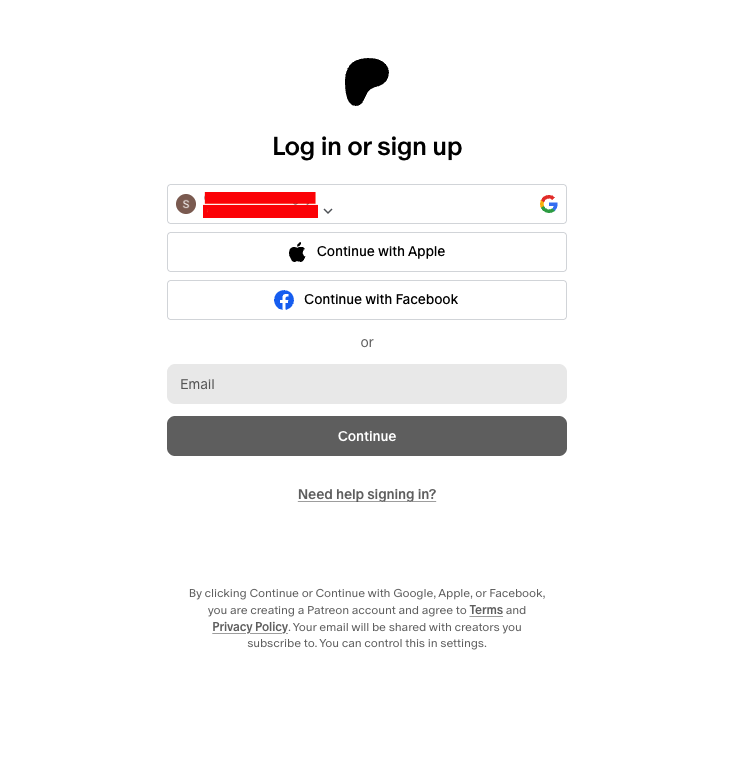
Just sign in as usual:
- enter email → “Continue” → password; or
- use Continue with Google / Apple / Facebook if your account is linked.
After signing in, the system takes you back to the previous step (access confirmation) — nothing is lost.
⚠ If something goes wrong
- “Subscription not active” though you have one. Patreon data can update with a delay — wait and retry. Still failing — message us.
- Accidentally clicked “Deny”. Start over from step 1 and click “Allow”.
- Signed in to the wrong Patreon account. Sign out on patreon.com, sign in to the correct one, retry.
🆘 Support
Ways to reach us (by priority):
- Discord — the fastest. Message us right here.
- Profile menu → “Support” — after signing in, click your name top-right.
- Profile page → “Need help? Contact us”.
Have a great game!
If anything went wrong, write to us on Discord.