Signing in & registering with Boosty
Hi! If you support us on Boosty, this short guide will help you sign in to Kurotica Team and start playing Hermione's Shop.
Unlike Patreon (one-click), Boosty works a bit differently: the first time you create an account using your Boosty nickname and email, then set a password. After that you sign in with just your email and password.
📝 Registration (first sign-in)
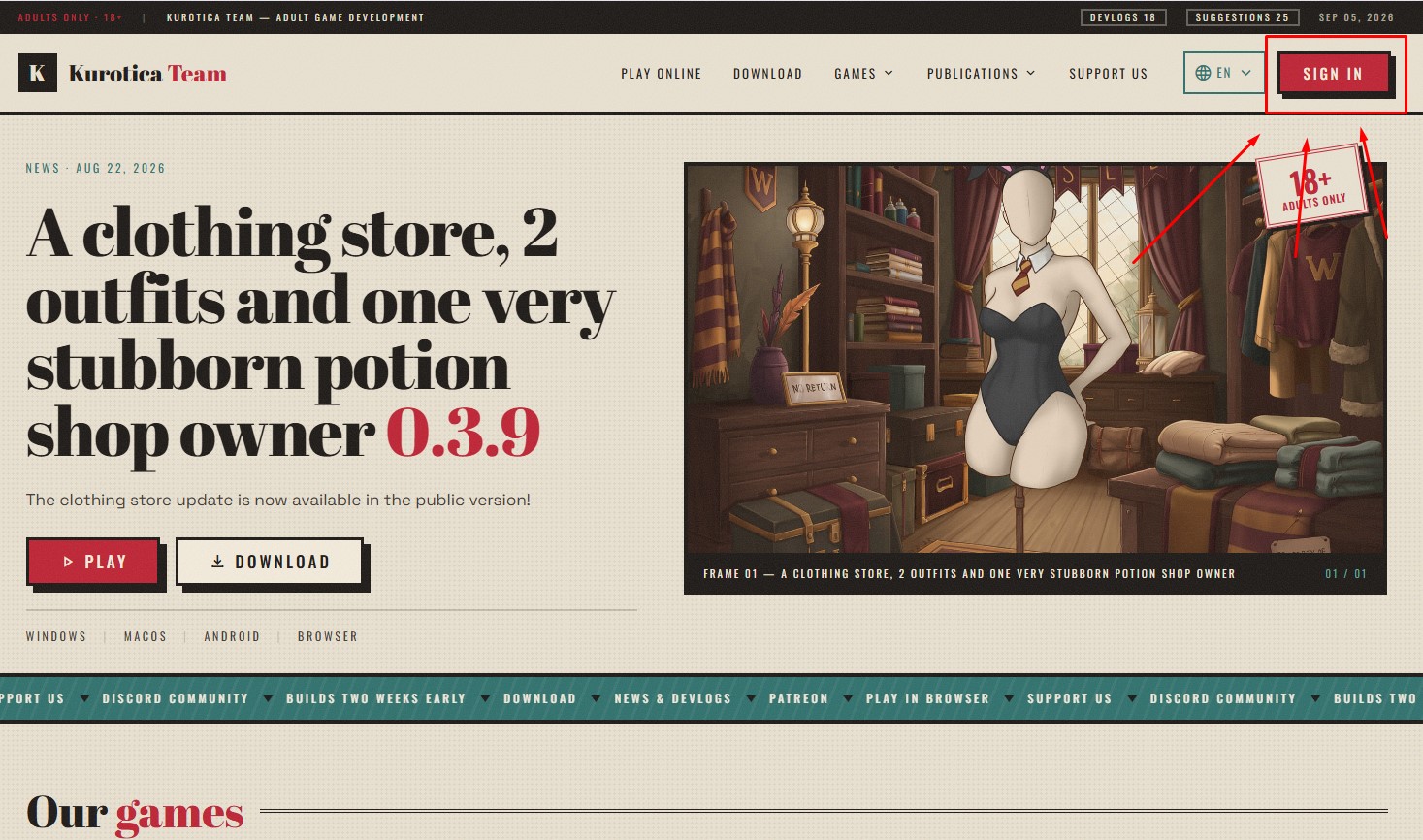
Click “Sign in”
On the Kurotica Team site, click “Sign in” in the top right corner.
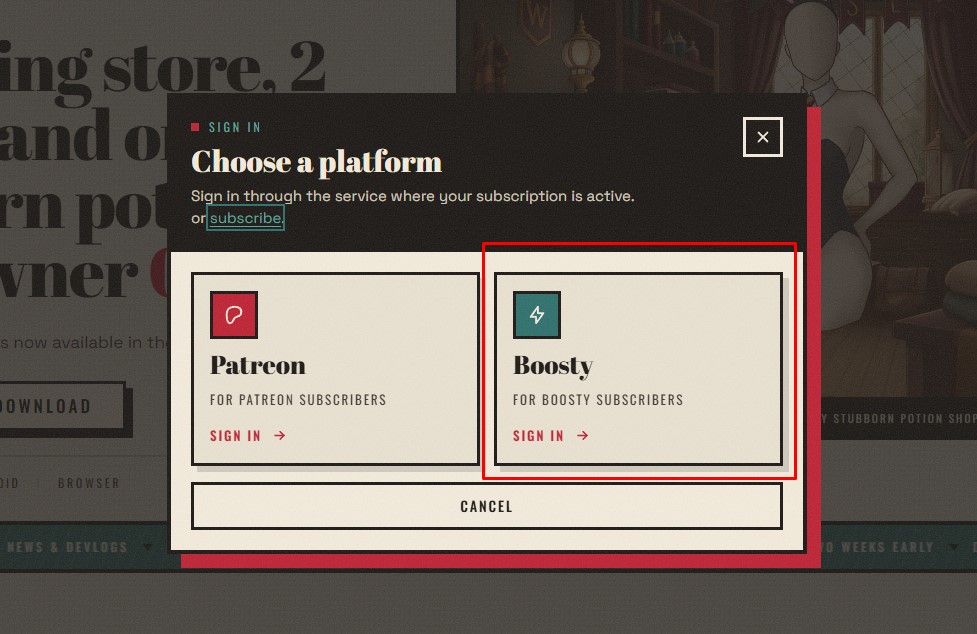
Choose the platform — Boosty
In the “Choose a platform” window pick the right tile — Boosty (“For Boosty subscribers”).
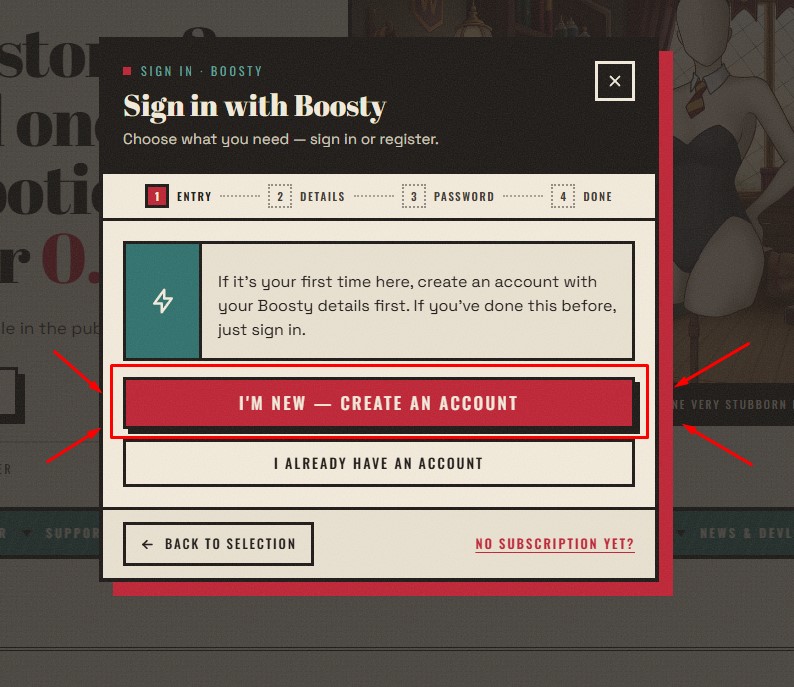
Go to account creation
The “Sign in with Boosty” window opens. You have no password yet, so click “Create account” (bottom right).
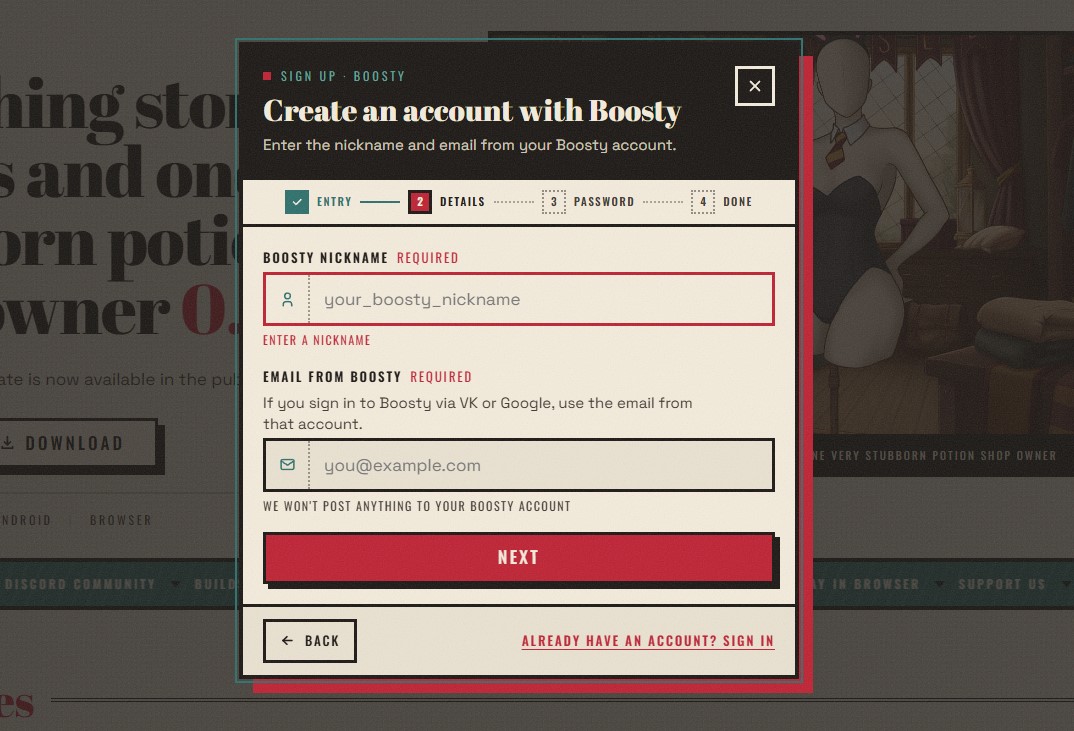
Enter your Boosty nickname & email
In “Create a Boosty account” fill both fields and click “Next”:
- Nickname Boosty — your Boosty nickname (name)
- Email from Boosty — your Boosty email
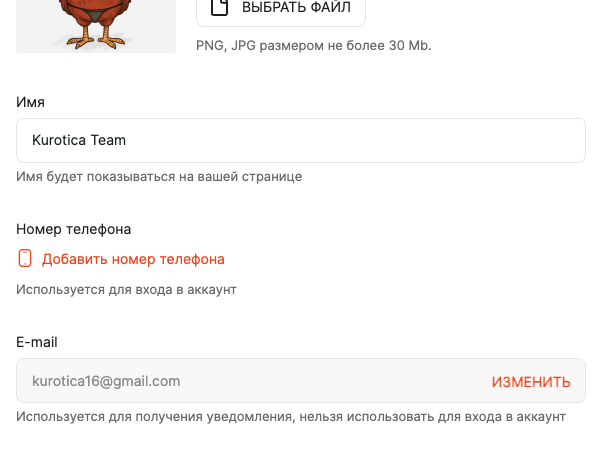
🔎 Where to find your nickname & email in Boosty
- Open boosty.to and sign in.
- Go to profile settings.
- Find two fields:
- “Name” (“This name will be shown on your page”) → your nickname (field “Nickname Boosty”).
- “E-mail” (“Used to receive notifications”) → field “Email from Boosty”.
🔁 Subsequent sign-ins
- “Sign in” → platform Boosty.
- Enter Email and the Password you set the first time → “Sign in”.
⚠ If something goes wrong
“Invalid email or password” (when signing in):
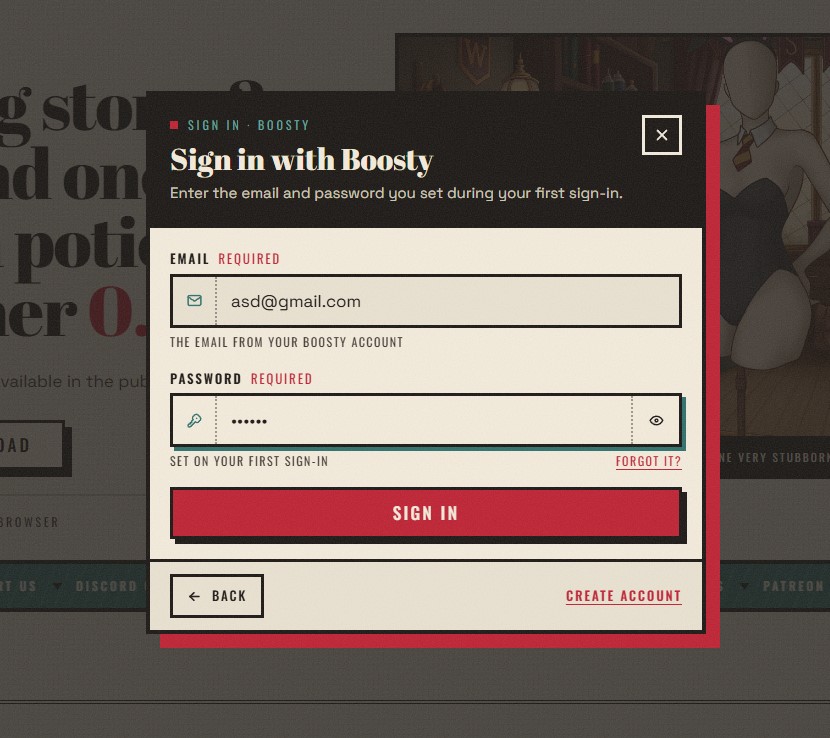
- Check keyboard layout & Caps Lock; click the “eye” icon in the password field.
- First time? You need “Create account”, not this form.
- Forgot your password — use recovery.
“We couldn't find a subscription with this data” (registration):
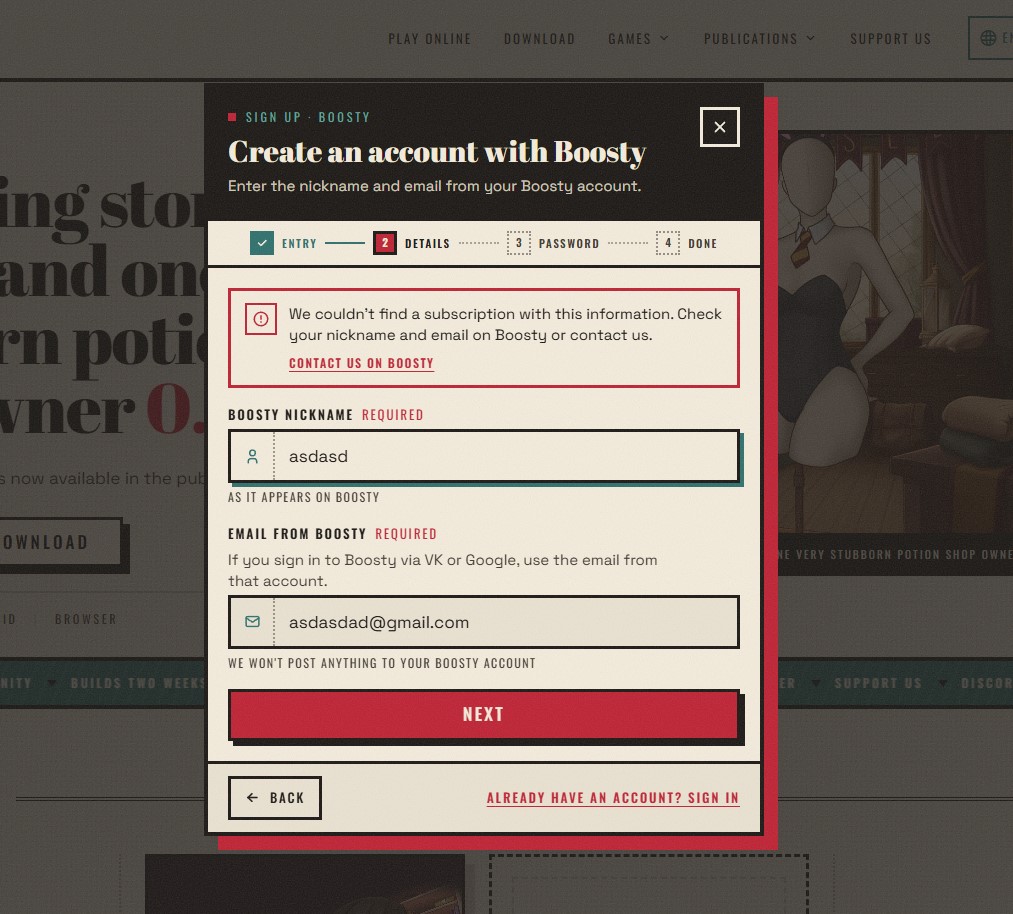
- Re-check “Name” and “E-mail” in Boosty settings — usually a typo/space.
- Just subscribed? Wait a bit.
- This window has a “Write to us on Boosty” link.
🆘 Support
- Discord — the fastest. Message us right here.
- Profile menu → “Support” — after signing in, click your name top-right.
- Profile page → “Need help? Contact us”.
- Via the platform — the “Write to us on Boosty” link in the error window.
If anything went wrong, write to us on Discord.